In last quarter’s webinar we discussed computer hardware replacement and cost projection, focusing on the end-of-life/replacement process. In our next webinar, we’re going to take a step back and walk through the entire computer lifecycle workflow more broadly.
- How can I use AllSight to create and manage purchase records for my hardware assets, quickly link them to relevant asset record(s), and easily identify hardware that is up for replacement or reassignment?
- Other than installing our KeyAccess client on Windows, MacOS, Linux, and ChromeOS computers, what are some of the other ways that computers, mobile phones, and other equipment can be added to AllSight?
- How can I automatically add additional asset details to computer records — Asset ID, Warranty Date, Owner, and Department — from other data sources, and track all changes over time?
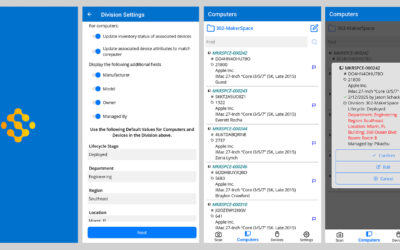
- Can AllSight help me inventory hardware by location, by scanning bar and/or QR codes to confirm everything is in the right location? (Spoiler alert: live demo of new functionality!)
- Can AllSight help me automate my asset management workflows, integrate with my Service Management tool, and interact with other systems via an API?
Since this will be a high level computer lifecycle management overview, we won’t be able to dive deep into the details of some of the features we discuss, like importing computers, setting up dependent asset location fields, and creating forms. Check out the videos on our tutorials page for a walkthrough of those features before the webinar (and a whole lot more).
Watch the embedded video below:

AllSight is better than any other product in the world at computer hardware and software usage tracking. If you’re interested in more information, check out our reviews at softwarereviews.com, and then head on over to our testimonials page to see what others think!

Subscribe


Follow: